Leave a Workspace

Leave a Workspace

If you no longer wish to be part of a workspace, you can choose to leave it from your account. Once you leave a workspace, you will lose access to all API services and resources associated with that workspace.

How to Leave a Workspace

  1. Log In to Console: Sign in to your Console account.

  2. Open Workspace Settings: Click the Settings icon in the top navigation bar.

  3. Select Leave Workspace: In the workspace settings, find the Leave Workspace option.
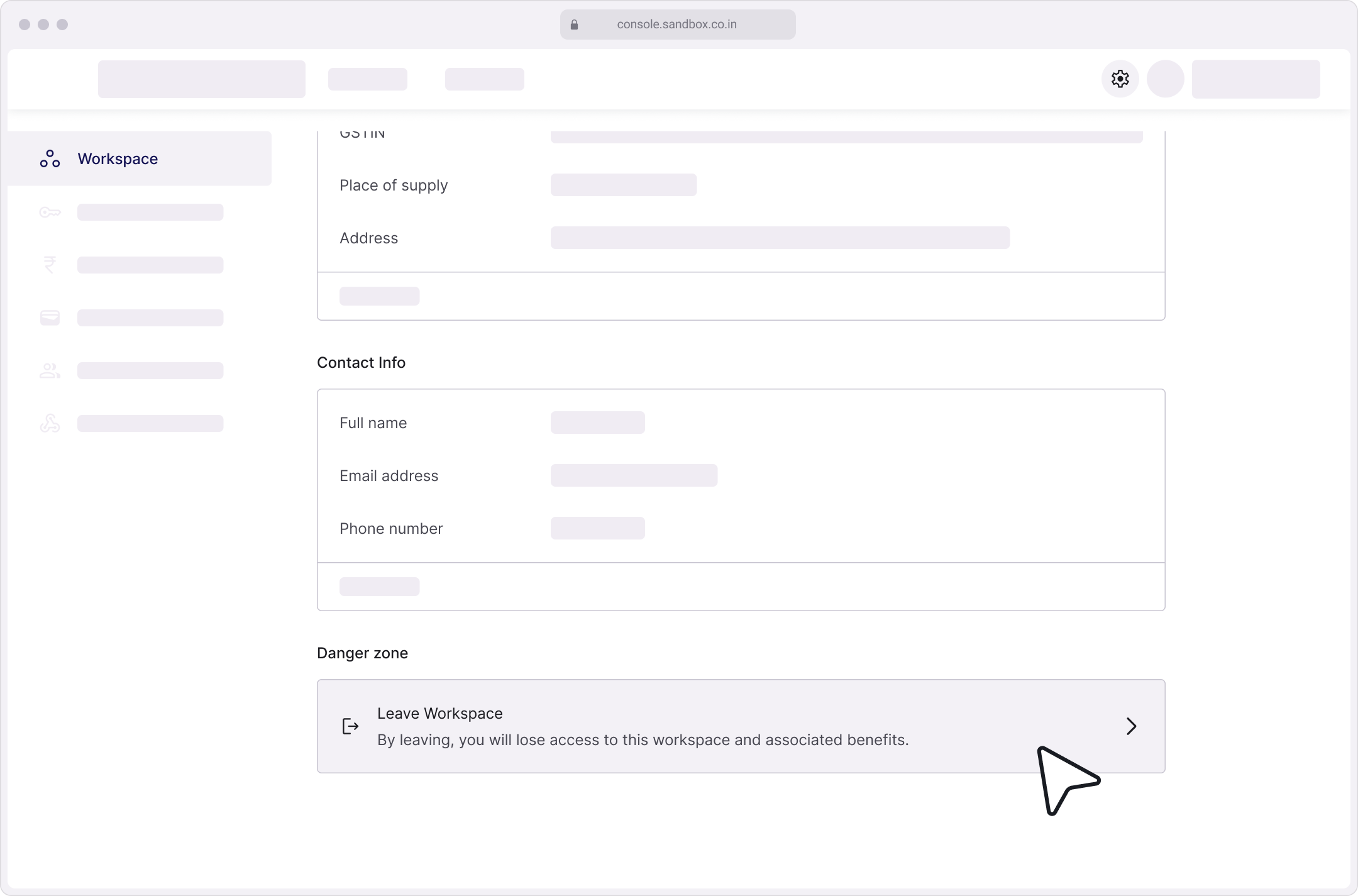
  4. Confirm the Action: Click Leave Workspace and confirm when prompted to complete the process.

Need Help?

Raise a support ticket if you face any issues while leaving the workspace.


    • Related Articles

    • Edit your Workspace

      Keep your workspace up to date by editing its details. You can update the name, business information, address and configure additional setting to suit your needs. Steps to Edit Your Workspace Details Log In to Console: Access your account by logging ...
    • Switch your Workspace

      Whether you're an admin or a member, you can be part of multiple workspaces at once. Here's how to easily find and switch between them. To switch your workspace: Click on your current workspace in the top-left corner of the Console. You’ll see up to ...
    • Types of Roles in Console

      Console offers role-based access control to ensure efficient management and security within your workspace. 1. Admin The Admin holds the highest level of access and overall control of the workspace. Permissions: Full access to all settings and ...
    • Remove a Member

      If a member no longer needs access to Console, they can be removed. By default, only workspace owners and managers have permission to remove members. Things to keep in Mind Permissions: Only workspace owners and manager can remove members from the ...
    • Update Business Details

      Maintaining up-to-date business details in Console is essential for accurate billing, efficient communication, and compliance. How to Add Business Details Log In to Console: Start by logging into Console. Navigate to Settings: Click on the Settings ...